9:41
Monday 12 October
 QuickPin
Pin 10 saved · ±5 m · 1 s
Drop piniPhone
Lock Screen and StandBy
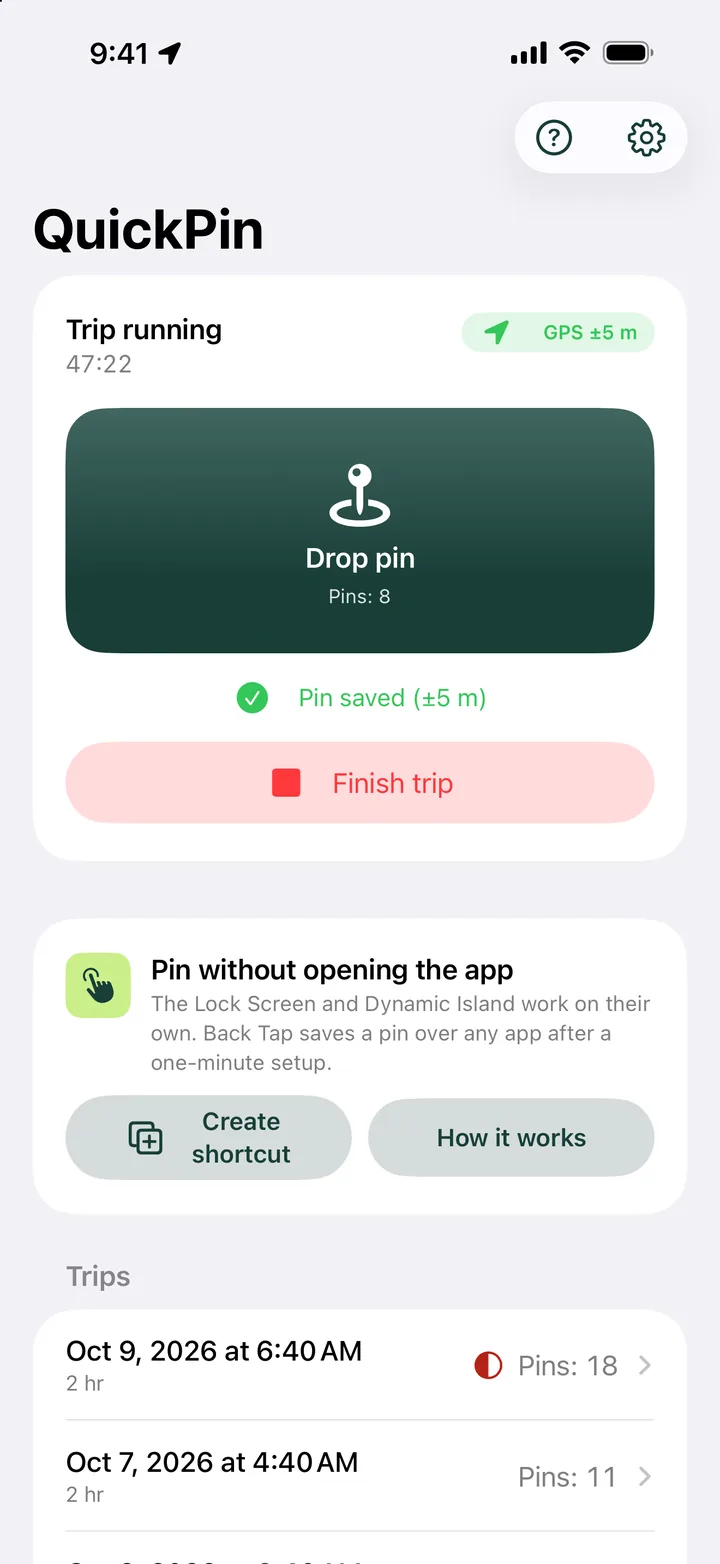
During a trip the Drop pin button waits on the Lock Screen. No unlocking, no app switching.
One tap saves the exact GPS spot, with time, accuracy and altitude. No typing, no maps to zoom, no notes to rewrite at the end of the day.
52.229771, 21.011782Built for work in the field
Live demo
A trip is running on this map. Tap the button whenever you pass something worth saving, then pick a format and download the file.
52.229771, 21.011782±4 mTip: press Space. With two lists: R and G.
Nothing saved yet.
Demo with sample coordinates. In the app every pin comes from your phone’s GPS.
Pin without opening the app
Your map or navigation stays on screen. QuickPin saves the spot from wherever your thumb already is.
QuickPinPin 10 saved · ±5 m · 1 s
Drop pinDuring a trip the Drop pin button waits on the Lock Screen. No unlocking, no app switching.
Touch and hold it to drop a pin while your map stays on screen.
Double-tap the back of your iPhone to save a pin over any app. One-minute setup.
A button floats over Google Maps or your navigation. Tap it and carry on. Try dragging it.
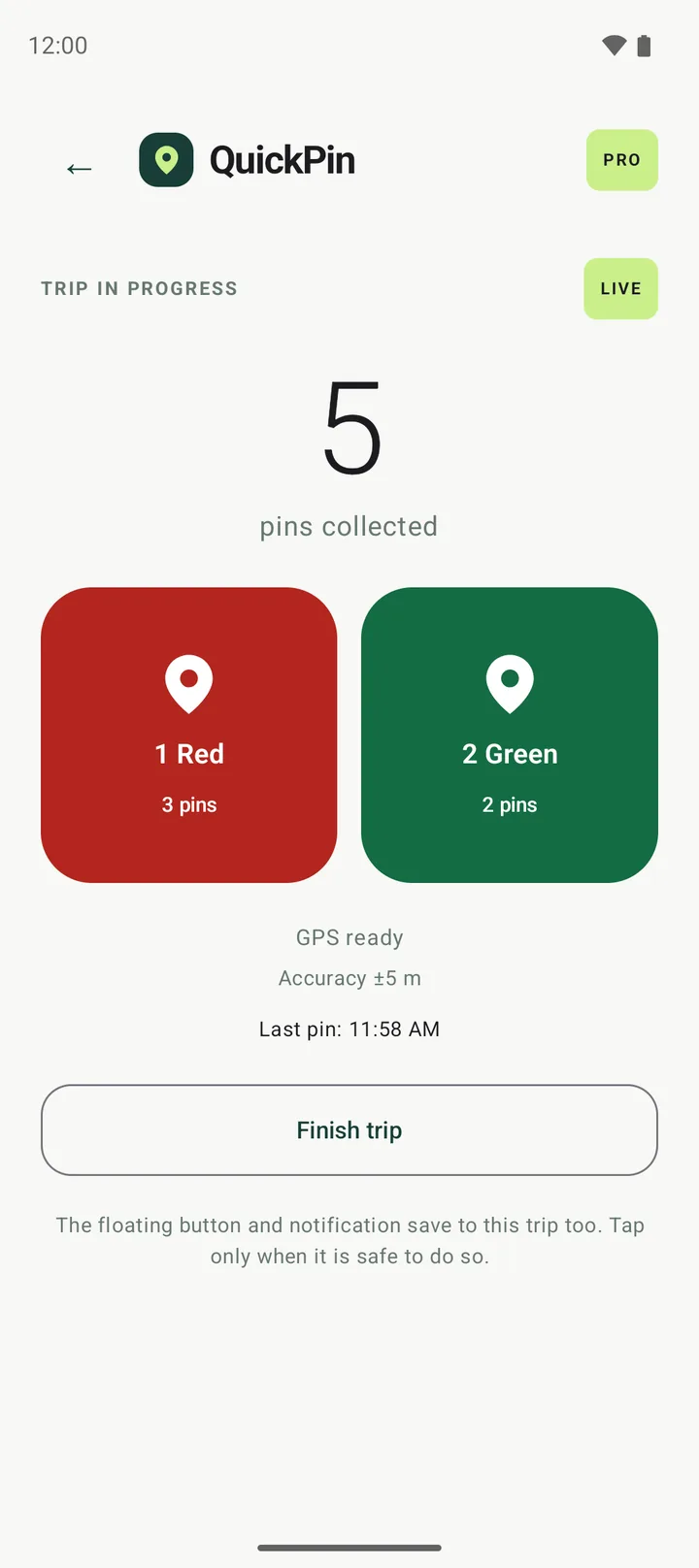
QuickPin · nowChoose 1 Red or 2 Green to save your GPS position
Save a pin straight from the notification, with one list or two.
Drop a pin in QuickPin
“Drop a pin in QuickPin”. Or the Action button on iPhone 15 Pro and later, and a control in Control Center.
How it works
Open QuickPin and tap Start trip. Location is used only while the trip runs, and you can always see that it is.
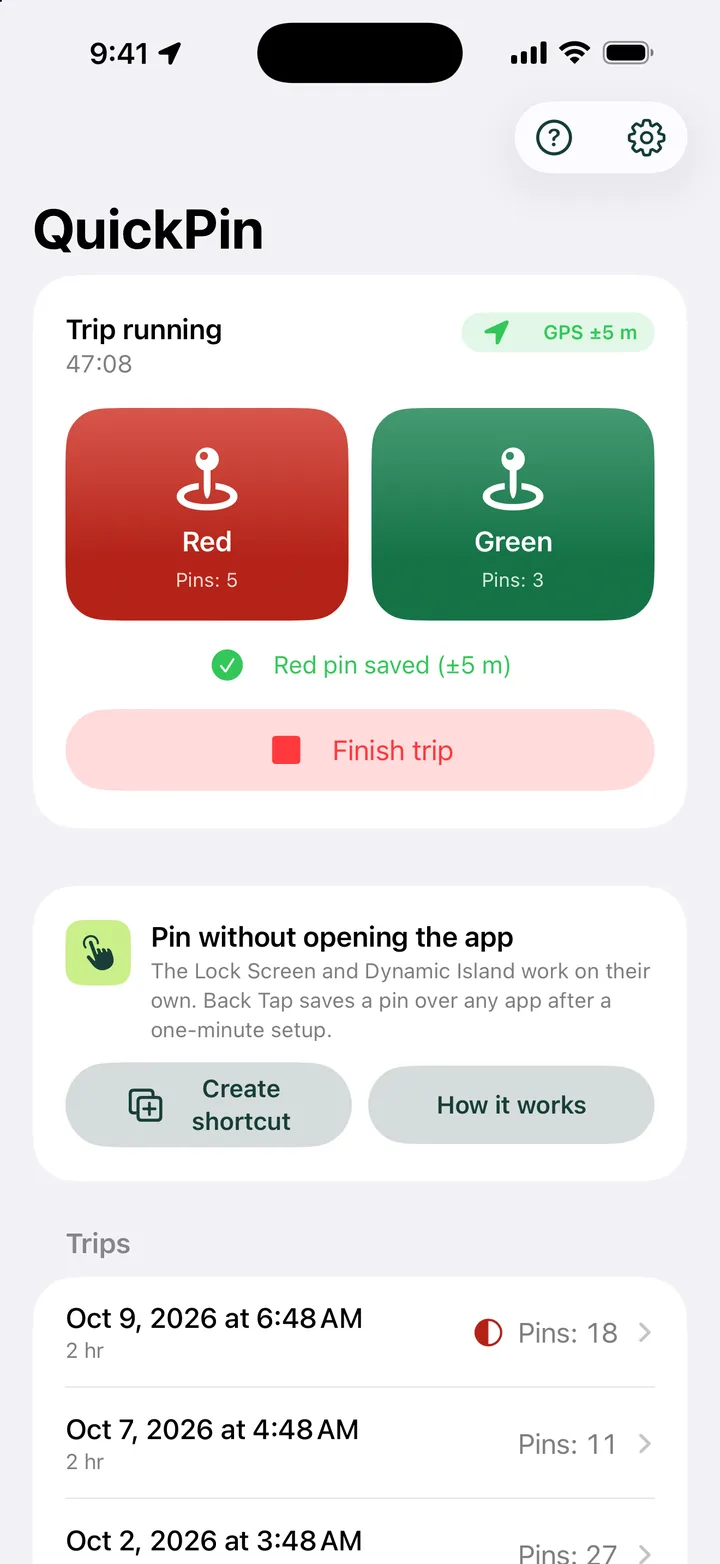
One tap, one pin. Use one list or two: red for issues, green for good spots (Pro).
You get a clean log with time, accuracy, altitude and a map link for every point. Send it as a spreadsheet or open it in your map app.
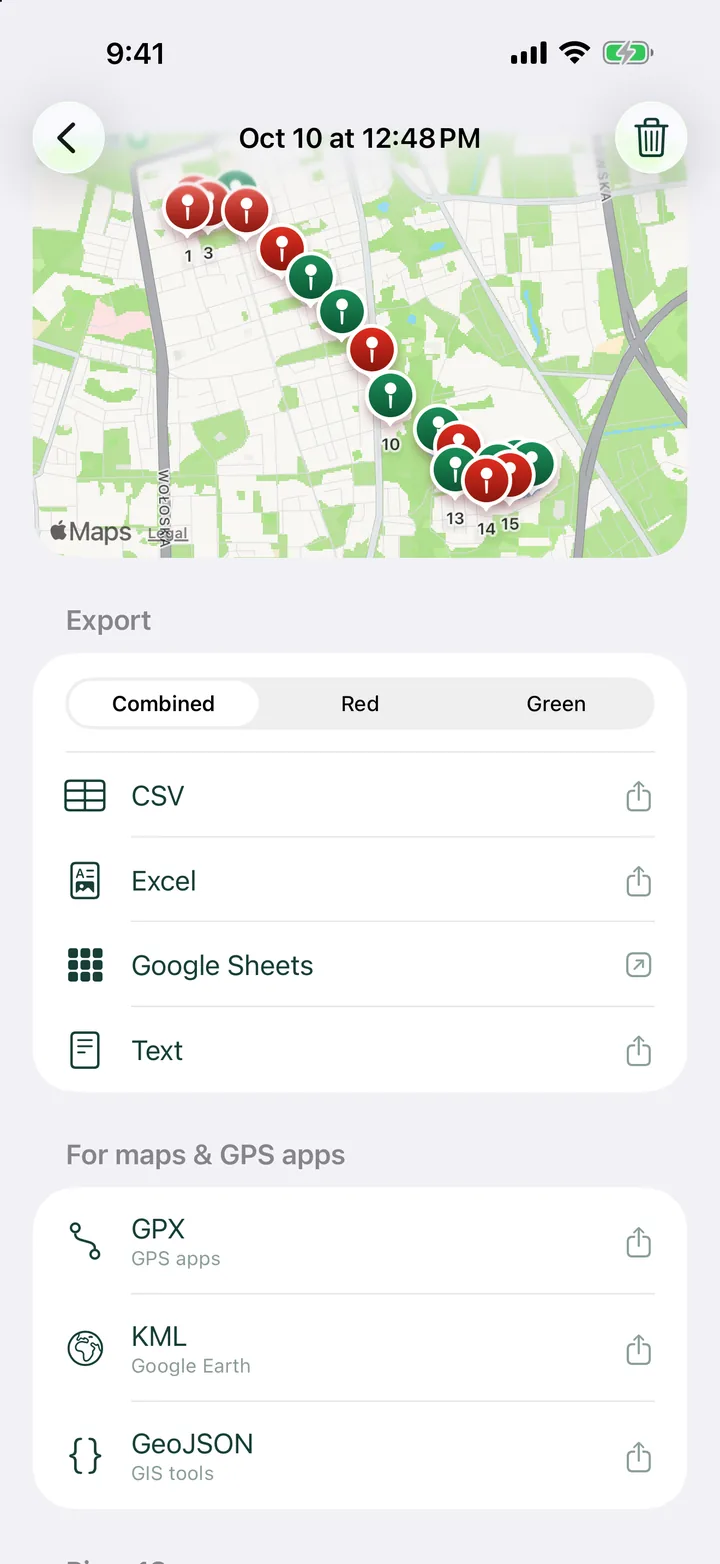
Export
Every pin carries the details your report needs. Pick the format that fits where it goes next.
52.22977121.011782±4 m112 m2026-10-12 14:03:27 UTCThe free plan includes one trial spreadsheet export. Two-list trips keep red and green pins apart in every format.
Private by design
QuickPin doesn’t track your route and doesn’t upload your points to our servers. You decide when, and where, they go.
No sign-up, no password. Open the app and start a trip.
QuickPin reads your position only while a trip runs, with the location indicator visible the whole time.
You choose: a file on your phone or a spreadsheet in your own Google Drive.
Pricing
Freeno card needed
Yearly or monthlysubscription
The 7-day free trial is for new subscribers on the yearly plan. You see the price in your currency in the app before you buy. Cancel anytime in the App Store or Google Play.
FAQ
No. QuickPin saves a point only when you tap. It reads your location only during an active trip and never uploads your pins to our servers.
No. Open the app and start a trip. There is no sign-up and no password.
No. On iPhone use the Lock Screen (no unlocking needed), the Dynamic Island, Back Tap, the Action button, Controls or Siri. On Android use the floating button over any app or the notification.
As accurate as your phone’s GPS, usually a few meters outdoors. Every pin stores its accuracy, and QuickPin skips readings older than 5 seconds or less accurate than 100 m.
CSV and TXT on every plan. Excel (XLSX), Google Sheets, GPX, KML and GeoJSON with Pro, and the free plan includes one trial spreadsheet export. Every point includes a map link.
3 trips a month, up to 12 hours each, unlimited pins and CSV or TXT exports. Watch a short ad to unlock up to 2 extra trips a month.
Anytime, in your App Store or Google Play subscriptions. Pro stays active until the end of the period you paid for.
Only when it is safe to do so. When driving, let a passenger save the points or stop first.
Your pins live on your phone, so deleting a trip or the app removes them. How to delete your account and server data is explained on the delete account page.
QuickPin is free to start on iPhone and Android.